Windows 8 Store app development - prerequisites
What you need to start building Windows 8 Store apps: Windows 8, Visual Studio 2012 and a developer licence, plus a dual boot setup.
Building apps for Windows 8 is a new story for developers. These are the steps to get ready.
What you need
- Windows 8 operating system
- Visual Studio 2012
- A developer licence
Getting Windows 8 alongside Windows 7
If your machine already runs Windows 7 and is set up with all your software, you may not want a fresh install or an upgrade. The options are a virtual PC or a dual boot. Dual boot needs its own drive, which you can create by shrinking an existing one in Windows Disk Management. The new drive should have:
- Enough space for the Windows 8 installation
- To be a primary or logical drive (dynamic drives won't work)
This keeps the current environment intact and leaves you free to experiment with Windows 8.
The installation was straightforward and finished quickly. The installer was the Enterprise edition, so it would not accept a product key. The command Slui.exe 0x3 opens the activation window that allows this. See this KB article.
Visual Studio 2012 and the developer licence
Install Visual Studio 2012, then create a new project.
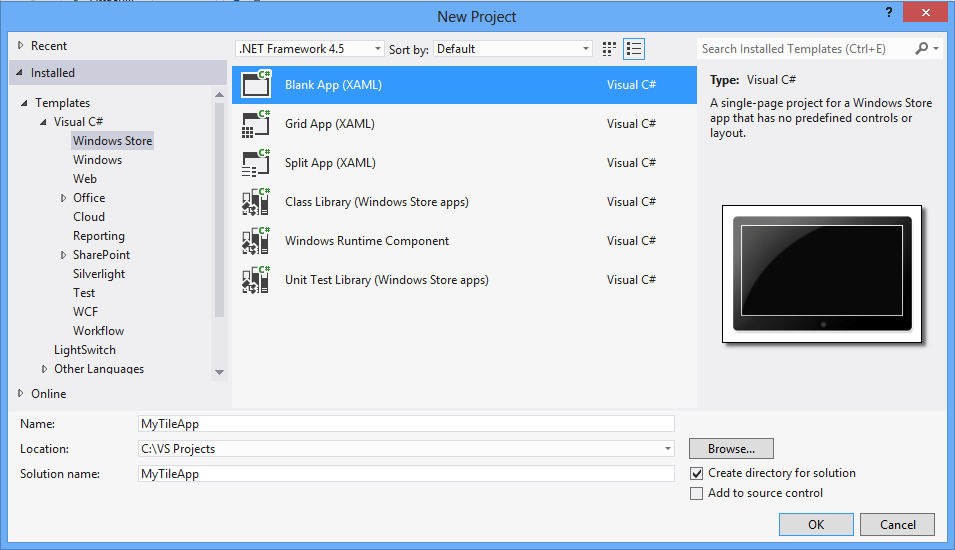
Once the project is created, Visual Studio asks for a developer licence.
- A window shows the terms. Read and accept them.
- A second window asks for your Microsoft account credentials.
- A final message shows the licence details, such as its validity.
The licence is normally valid for 30 days and can be renewed for another 30, and so on. With a Store account the developer licence is valid for 90 days.