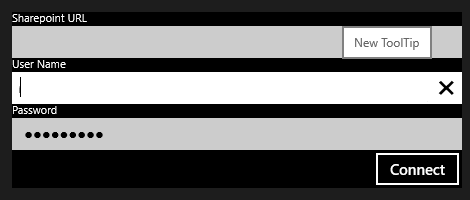
Windows 8 - Display a ToolTip
Three ways to set a tooltip on a control in a Windows Store app: the Properties window, XAML and code behind.
Tooltips make an app friendlier. In a Windows Store app you can set one in three ways.
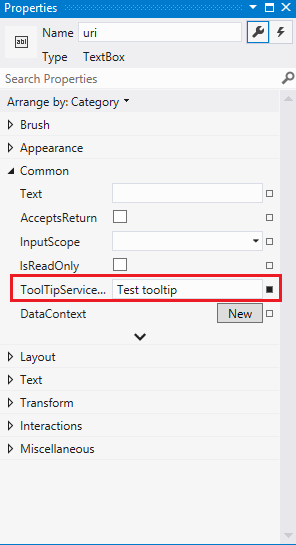
Option 1 - Properties window
In design mode, open the control's properties and set ToolTipService.ToolTip.
Option 2 - Edit the XAML
In XAML view, set the property on the control.

Option 3 - Code behind
csharp
ToolTip textUriTip = new ToolTip();
textUriTip.Content = "New ToolTip";
ToolTipService.SetToolTip(usr, textUriTip);