SSIS - Nightly import package that updates and inserts records
Build an SSIS package that imports from a source view, updating existing records and creating new ones, using Lookup and Conditional Split.
This walkthrough builds an SSIS package for a nightly import. Records already imported are updated, and new records are created in the destination.
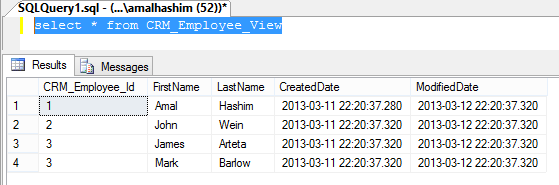
For the demo, assume a source system (say a CRM) with a view like this:
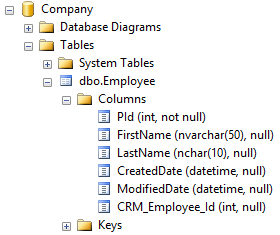
The job imports this data into an Employee table in the destination:
Steps
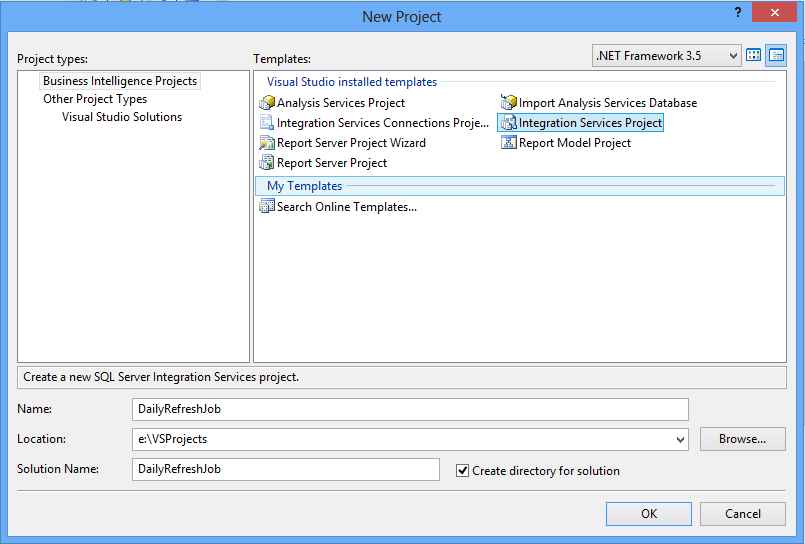
- Open SQL Business Intelligence Studio and create a new "Integration Services Project".
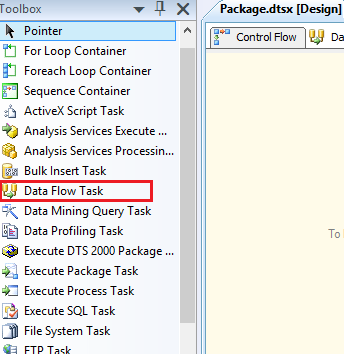
- From the toolbox, drop a Data Flow Task onto the control flow.
- Double click it and add an OLE DB Source.
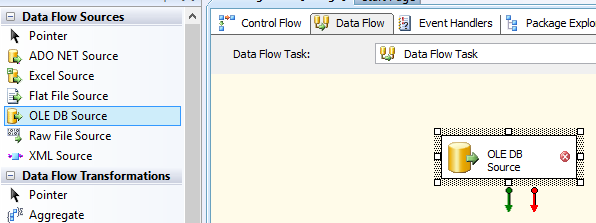
- Double click the OLE DB Source.
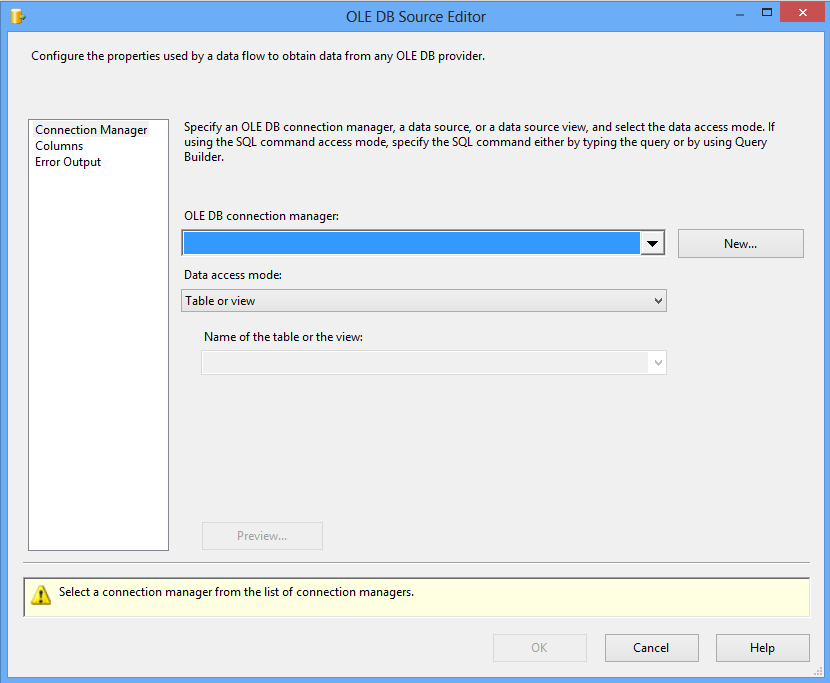
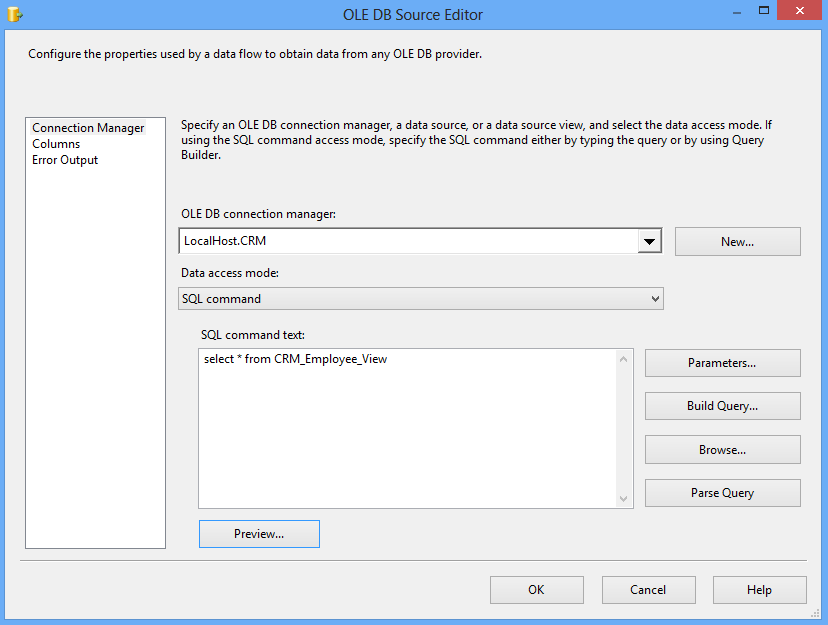
- Click New to create a connection and enter the source database details. Select the connection and set the other properties.
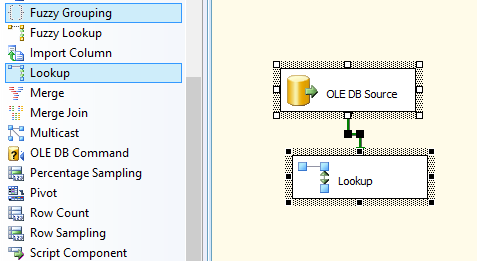
- Add a Lookup transformation. It tells us whether the record already exists in the destination.
- Add a connection to the destination first.
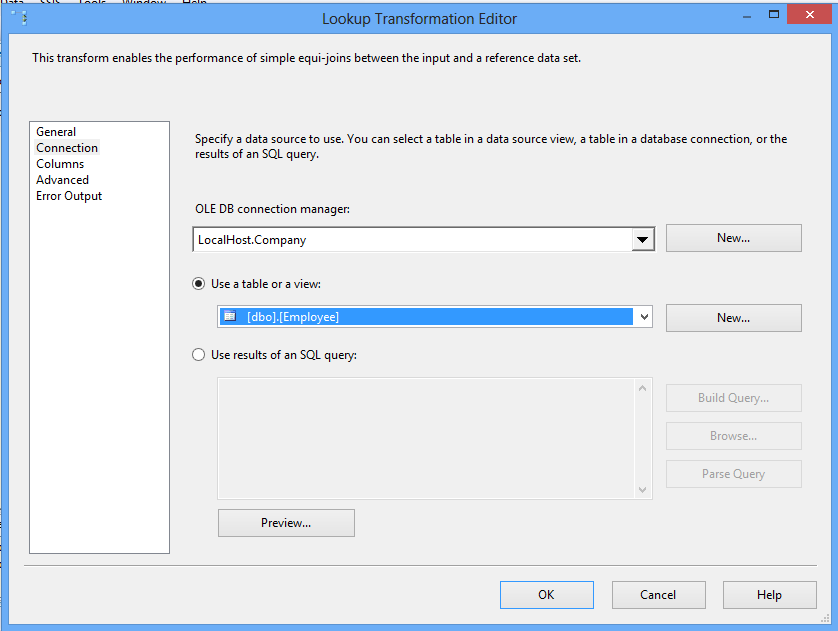
- Set up the Lookup transformation.
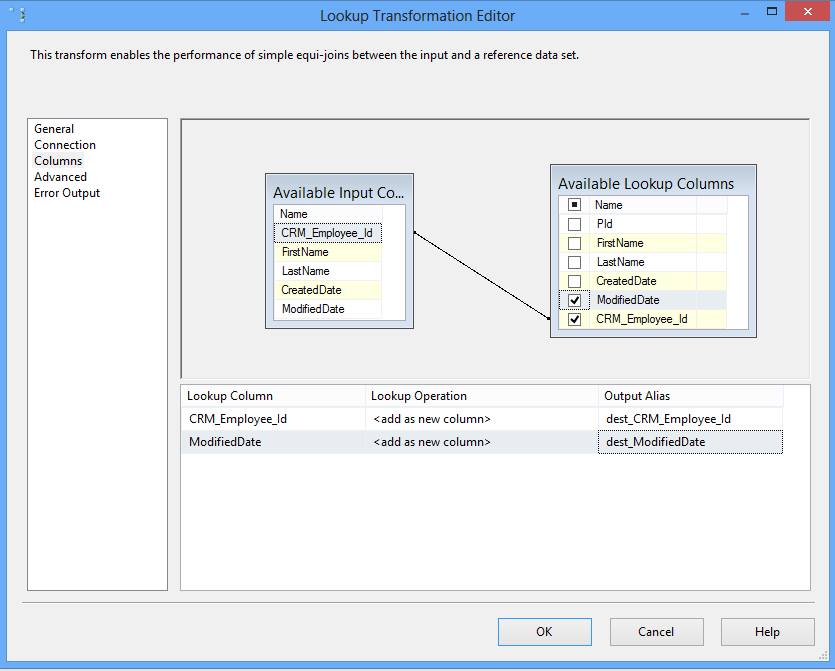
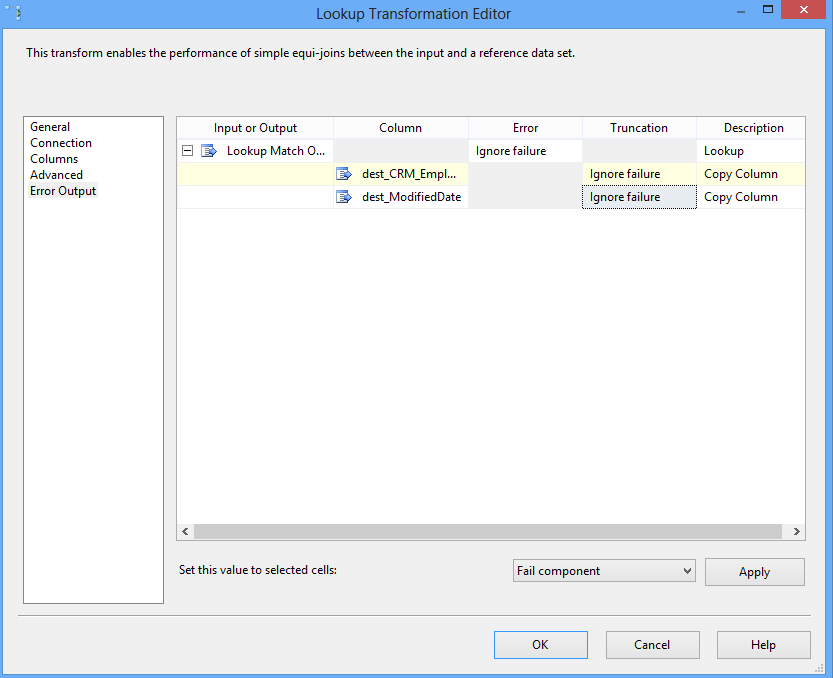
- By default, a Lookup fails when no match is found. That is exactly the case for new records, so set the Error Output to let them through the pipeline.
- Add a Conditional Split.
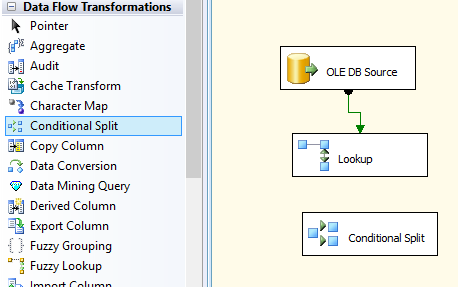
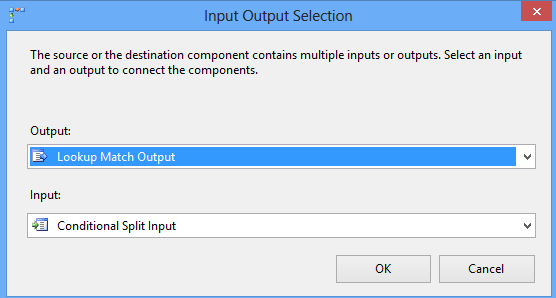
- Drag the data flow arrow into the Conditional Split. In the dialog, select "Lookup Match Output".
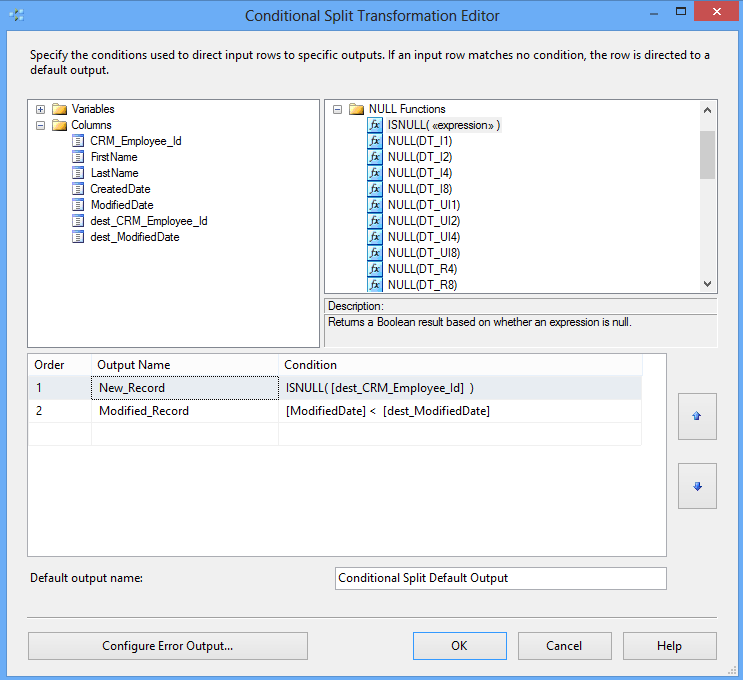
- Double click the Conditional Split and define the outputs.
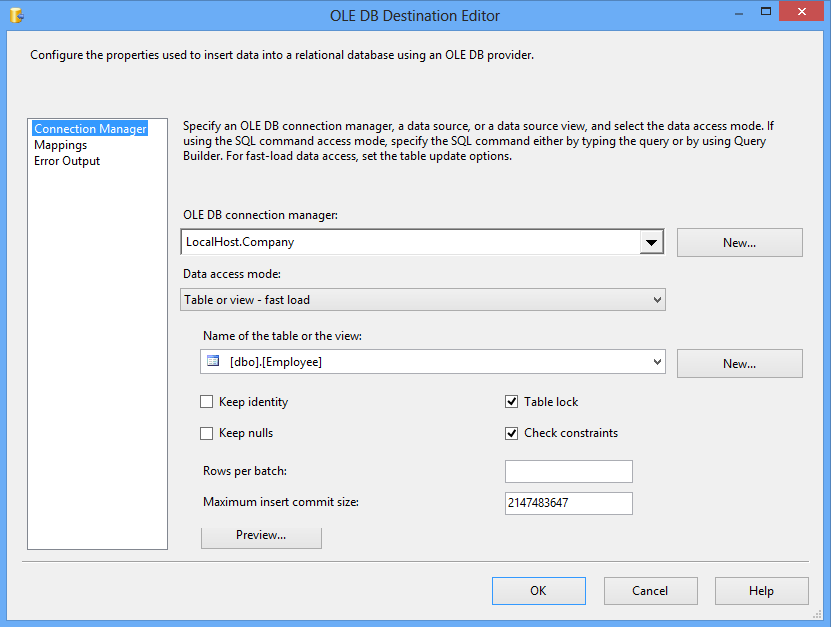
- Add an OLE DB Destination and an OLE DB Command. Connect the
New_Recordsoutput to the destination, and theModified_Recordsoutput to the command. - Configure the OLE DB Destination.
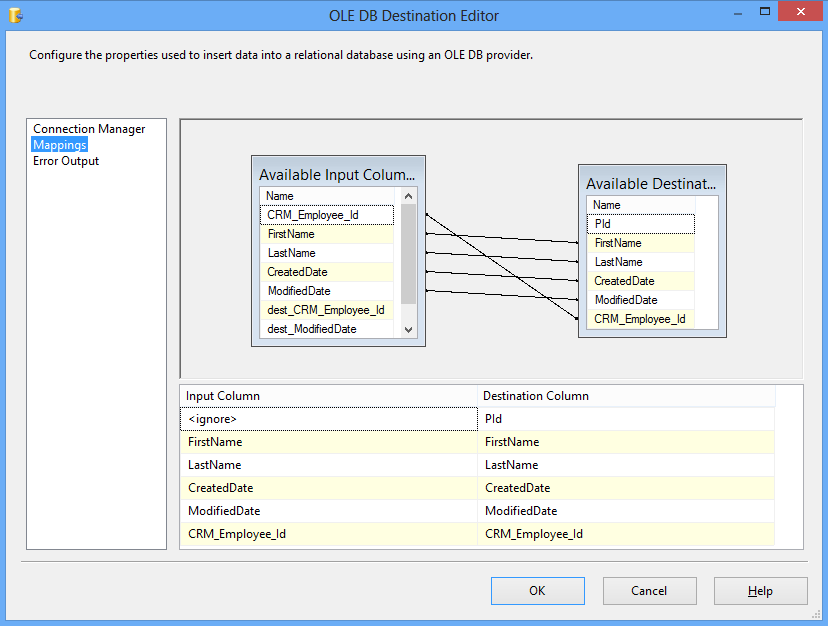
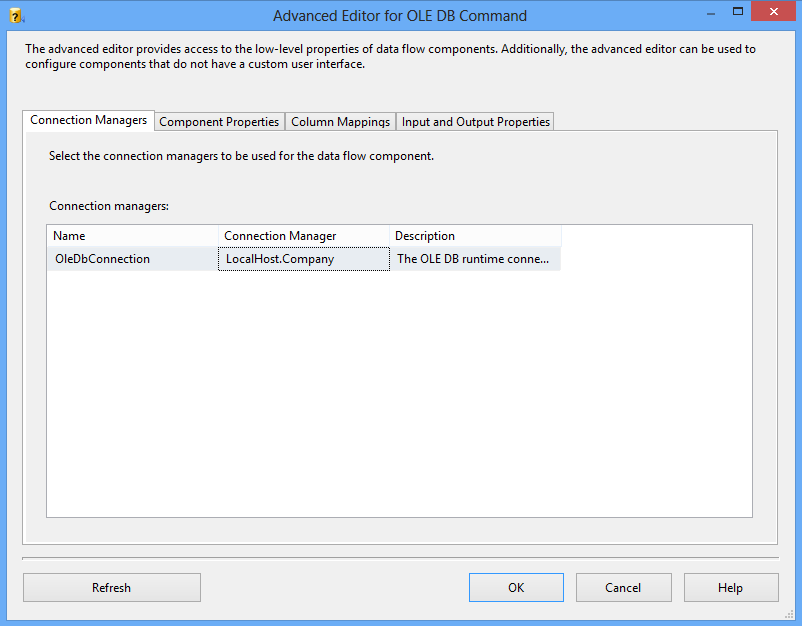
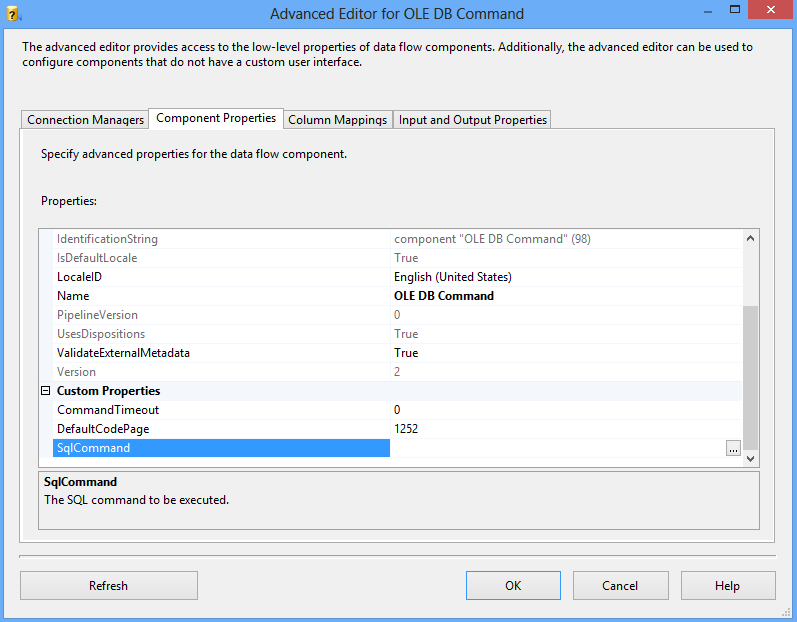
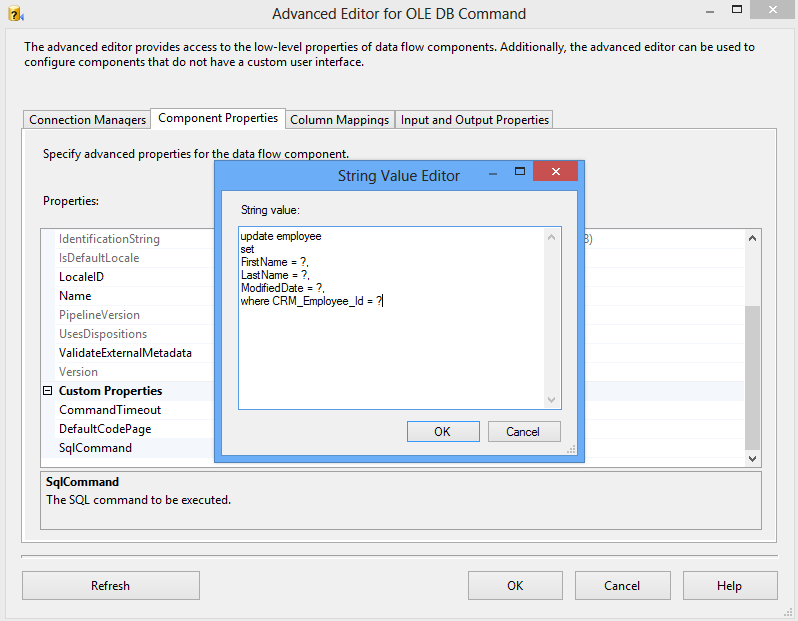
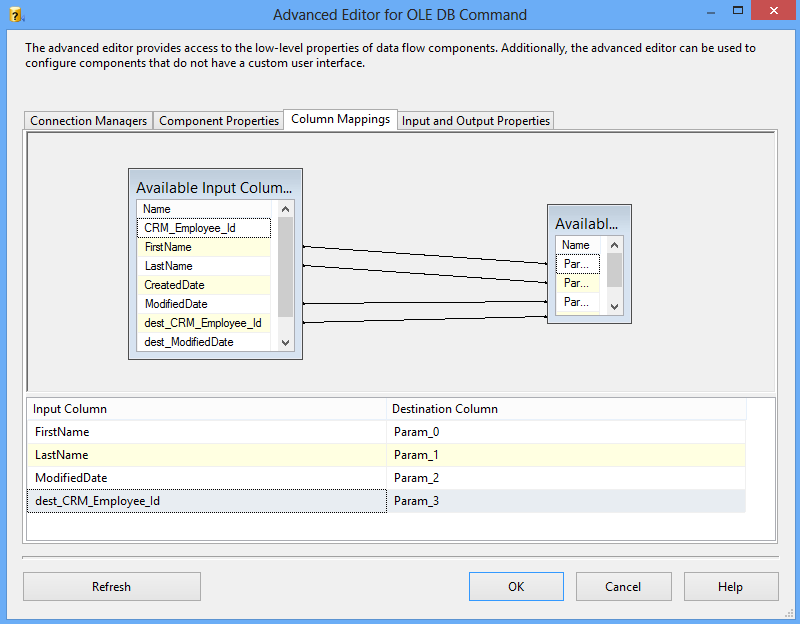
- Configure the OLE DB Command.
- Press F5 to run and test the package.
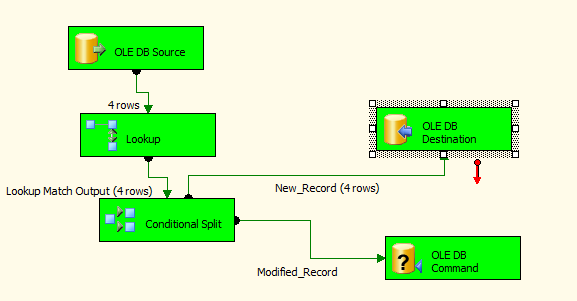
The package is ready. Scheduling it to run every night is the next step.