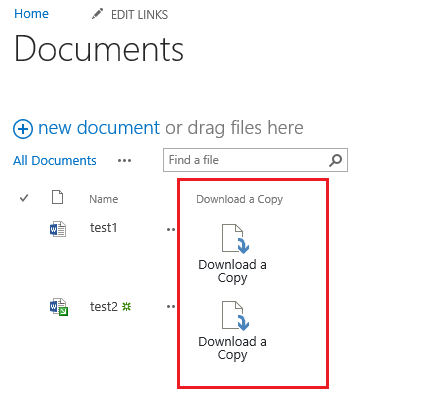
SharePoint 2013 - Document Library - Download a copy button
Add a Download a Copy button to each row of a document library using an extra column and a Script Editor web part.
A user on a technet forum asked how to add a "Download a Copy" button in a document library column. Here is a solution that worked.
Steps
- Add a new column to the document library. I named it "Download a copy".
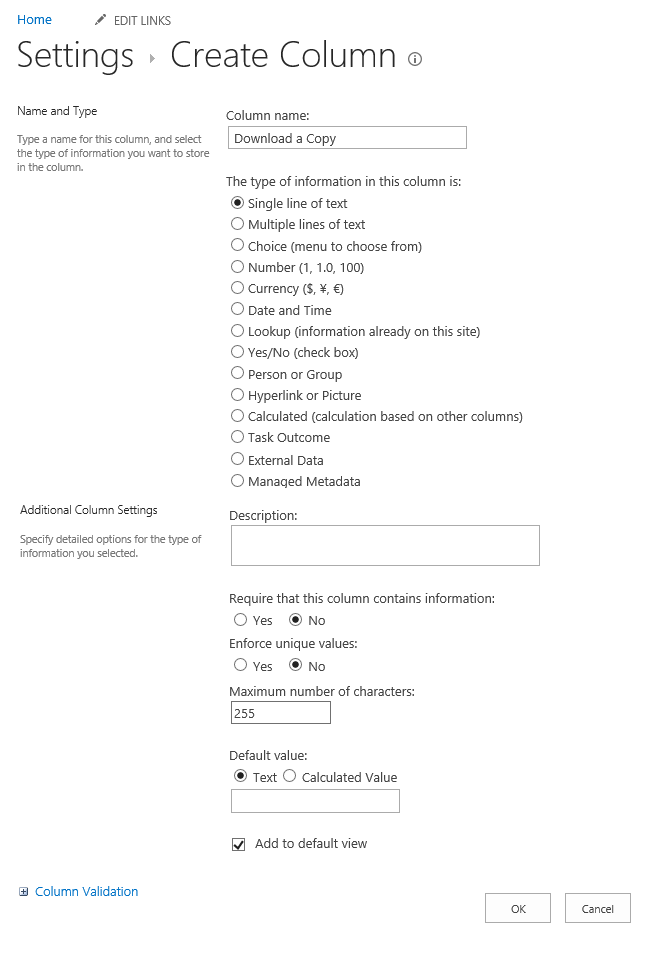
- Make sure the new column is the last column in the view.
- Go back to the view and edit the page.
- Add a Script Editor web part and paste this code:
html
<script type="text/javascript">
function runAfterEverythingElse(){
var elementArray = document.getElementsByClassName("ms-vb-lastCell");
var idArray = document.getElementsByClassName("ms-listlink");
for(var i = 0; i < elementArray.length; i++)
{
    elementArray[i].innerHTML = '<a unselectable="on" href="javascript:;" onclick="window.open(\'' + idArray[i]['href'] + '\')" class="ms-cui-ctl-large " aria-describedby="Ribbon.Documents.Copies.Download_ToolTip" mscui:controltype="Button" role="button" id="Ribbon.Documents.Copies.Download-Large"><span unselectable="on" class="ms-cui-ctl-largeIconContainer"><span unselectable="on" class=" ms-cui-img-32by32 ms-cui-img-cont-float"><img unselectable="on" alt="" src="/_layouts/15/1033/images/formatmap32x32.png?rev=31" style="top: -409px; left: -35px;"></span></span><span unselectable="on" class="ms-cui-ctl-largelabel">Download a<br>Copy</span></a>';
}
}
_spBodyOnLoadFunctionNames.push("runAfterEverythingElse");
</script>
- Click OK and stop editing the page.
Result
Each row now shows a Download a Copy button in the last column.