SharePoint - Deploy a web part page with a web part using a module
Create a web part page and place a visual web part on it through a module's Elements.xml in Visual Studio 2010.
You can deploy a web part page with a web part already on it, with no manual editing after the install. The trick is a module whose Elements.xml adds the web part to a zone on the page.
Steps
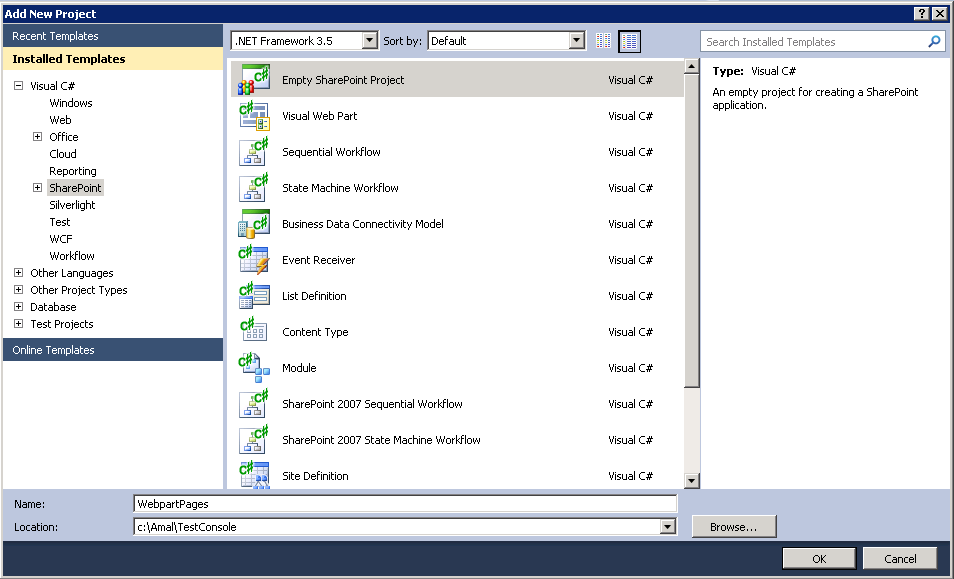
- Create an Empty SharePoint project in Visual Studio 2010.
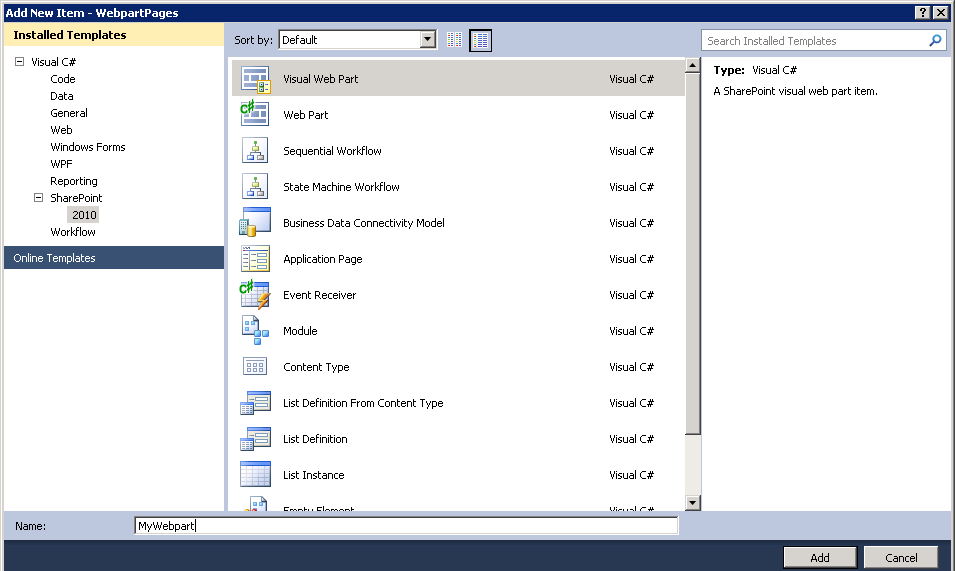
- Add a visual web part. We will place it on the page later.
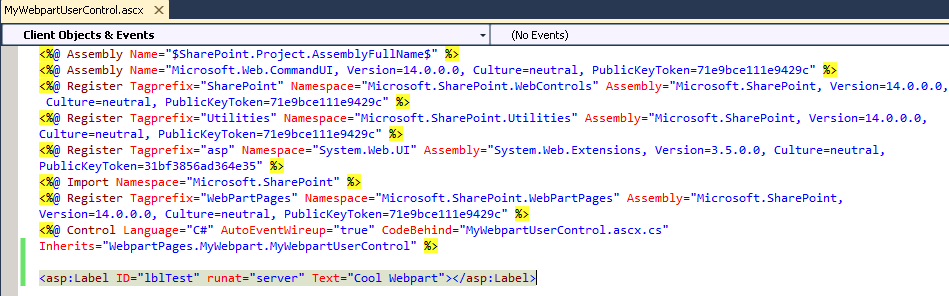
- For the demo, drop a label on the web part and set its text to "Cool Webpart".
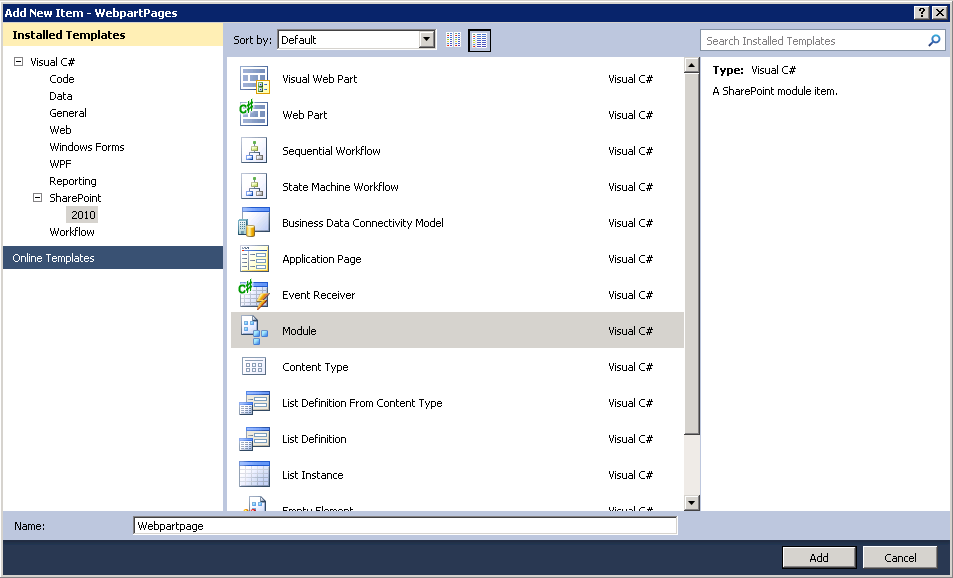
- Add a new module to the project.
- The module creates two files in the solution.
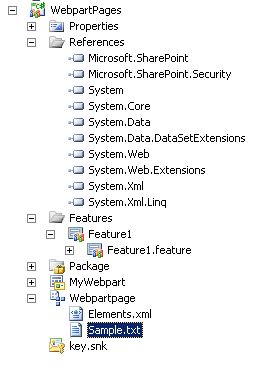
- Delete the sample text file and add an aspx page.
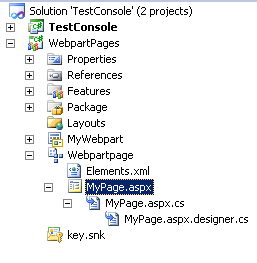
- Replace the page markup with the following. It defines one web part zone,
wpzMyZone.
html
<%@ Assembly Name="$SharePoint.Project.AssemblyFullName$" %>
<%@ Import Namespace="Microsoft.SharePoint.ApplicationPages" %>
<%@ Register Tagprefix="SharePoint" Namespace="Microsoft.SharePoint.WebControls"
Assembly="Microsoft.SharePoint, Version=14.0.0.0, Culture=neutral,
PublicKeyToken=71e9bce111e9429c" %>
<%@ Register Tagprefix="Utilities" Namespace="Microsoft.SharePoint.Utilities"
Assembly="Microsoft.SharePoint, Version=14.0.0.0, Culture=neutral,
PublicKeyToken=71e9bce111e9429c" %>
<%@ Register Tagprefix="asp" Namespace="System.Web.UI"
Assembly="System.Web.Extensions, Version=3.5.0.0, Culture=neutral,
PublicKeyToken=31bf3856ad364e35" %>
<%@ Import Namespace="Microsoft.SharePoint" %>
<%@ Assembly Name="Microsoft.Web.CommandUI, Version=14.0.0.0, Culture=neutral,
PublicKeyToken=71e9bce111e9429c" %>
<%@ Register Tagprefix="WebPartPages" Namespace="Microsoft.SharePoint.WebPartPages"
Assembly="Microsoft.SharePoint, Version=14.0.0.0, Culture=neutral,
PublicKeyToken=71e9bce111e9429c" %>
<%@ Page Language="C#" AutoEventWireup="true" CodeBehind="MyPage.aspx.cs"
Inherits="WebpartPages.MyPage" masterpagefile="~masterurl/default.master" %>

<asp:Content ID="Main" ContentPlaceHolderID="PlaceHolderMain" runat="server">
    <WebPartPages:WebPartZone runat="server" ID="wpzMyZone">
    <ZoneTemplate></ZoneTemplate>
    </WebPartPages:WebPartZone>
</asp:Content>
- In the code behind, make sure the page inherits from
WebPartPage.
csharp
using System;
using Microsoft.SharePoint;
using Microsoft.SharePoint.WebControls;
using Microsoft.SharePoint.WebPartPages;

namespace WebpartPages
{
    public partial class MyPage : WebPartPage
    {
        protected void Page_Load(object sender, EventArgs e)
        {
        }
    }
}
- Update the module's
Elements.xml. TheAllUsersWebPartelement puts the web part into the zone.
xml
<?xml version="1.0" encoding="utf-8"?>
<Elements xmlns="http://schemas.microsoft.com/sharepoint/">
  <Module Name="Webpartpage" Url="SitePages">
    <File Path="Webpartpage\MyPage.aspx" Url="MyPage.aspx"
          Type="GhostableInLibrary" IgnoreIfAlreadyExists="FALSE">
      <AllUsersWebPart WebPartOrder="0" WebPartZoneID="wpzMyZone">
        <![CDATA[
          <webParts>
            <webPart xmlns="http://schemas.microsoft.com/WebPart/v3">
              <metaData>
                <type name="WebpartPages.MyWebpart.MyWebpart, WebpartPages,
                Version=1.0.0.0, Culture=neutral, PublicKeyToken=132122a1200767d5" />
                <importErrorMessage>Cannot import this Web Part.</importErrorMessage>
              </metaData>
              <data>
                <properties>
                  <property name="Title" type="string">MyWebpart</property>
                  <property name="Description" type="string">Mywebpart</property>
                </properties>
              </data>
            </webPart>
          </webParts>
        ]]>
      </AllUsersWebPart>
    </File>
  </Module>
</Elements>
- Deploy the solution. The new page appears in the SitePages library.

- Open the page. The web part is already in the zone.